For Mobile Notaries
Get found as a mobile notary.
Clients see that you come to them, and your home address stays private. Listings start at $19 / year.
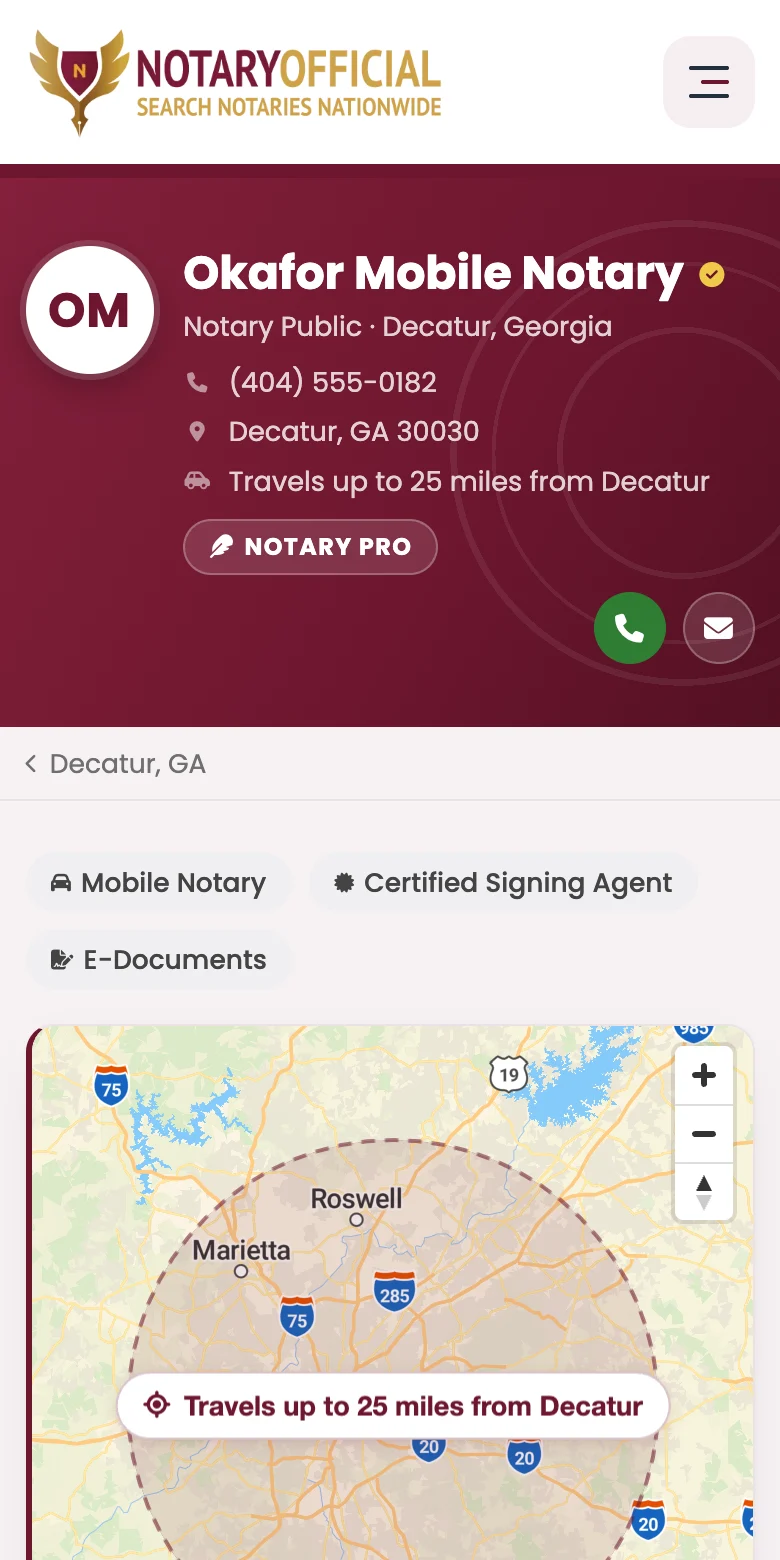
Clients can tell you travel to them
Being mobile is part of your listing, not a line buried in your bio.
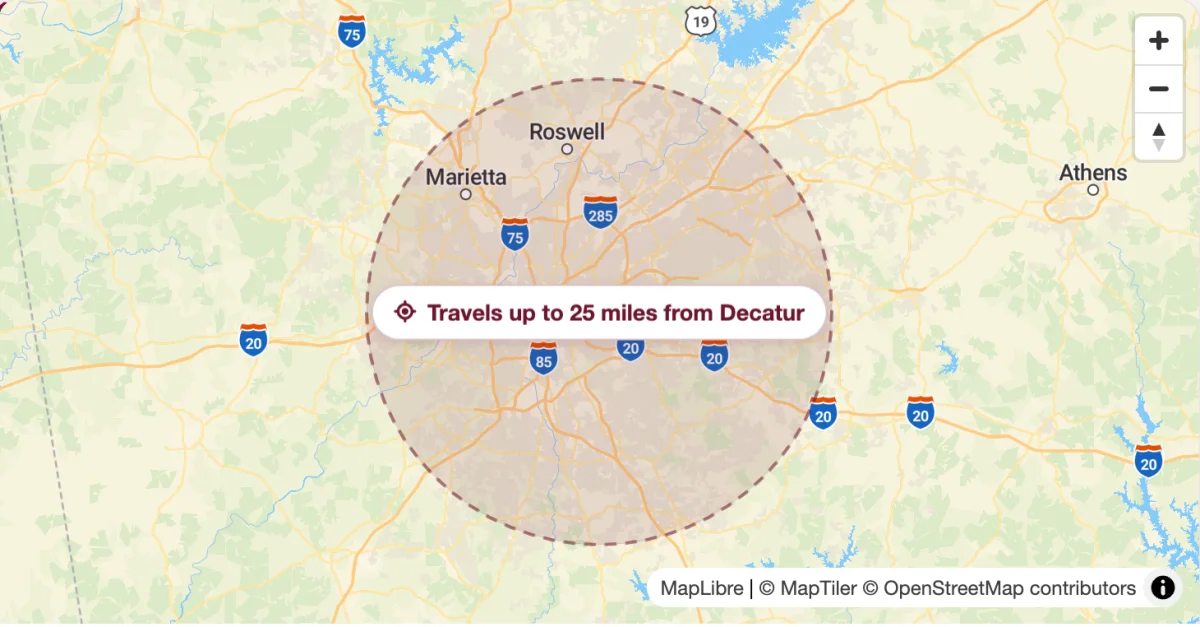
A service area, not your front door
Hide your street and your listing map shades the area you serve instead of dropping a pin on your home.

“Travels to you” in every result
It shows on your city and state pages and in search, so people can see you come to them.
Screenshots show an example listing.
Made for notaries who do this on the side
Plenty of mobile notaries fit appointments around another job. Your listing works the same way: it takes about five minutes to set up and keeps working while you are busy with everything else.
No office needed
List with your city and ZIP code. Your street stays off the page.
Your hours, day by day
Evenings and weekends only? List just those, or leave hours blank.
Loan signings too
Mark yourself as a signing agent and for real estate and loan signings.
No website required
Your listing is your page, with your phone, services and service area.
Two plans, both mobile-ready
Every plan shows your Mobile Notary badge and service area.
- Mobile Notary badge on your listing
- Service-area map, street kept private
- Listed on your state & city pages
- Services, hours & credentials shown
- Appointment request form
- Priority placement
- Shown in nearby cities
- Everything in Basic
- Shown in every nearby city you travel to
- Ranked above Basic listings
- Appointment request form on your listing
- Profile photo or logo displayed
- Highlighted map marker
- "Notary Pro" badge
You pick a plan after building your listing. Mobile Notary and a hidden street address are ticked for you.
Mobile Notary Questions
How a mobile profile works, from your hidden address to the places you travel.
Ask us anything else How mobile notaries get more clientsWhat is a mobile notary?
A mobile notary is a commissioned notary public who travels to the client: a home, an office, a hospital, a care facility or a coffee shop. It is a way of working, not a separate commission, so any notary in good standing can offer it.
Can I list my notary business without an office?
Yes. Tick Mobile Notary when you set up your listing and choose to hide your street address. Clients see your city, state and ZIP code, your phone number and the services you offer, and nothing that points to your home.
Will my home address be shown on the map?
No. When your street address is hidden, your listing page shows a shaded area around your city instead of a pin, and search maps place you approximately. Your exact address is only used to work out which searches you appear in.
I only notarize on evenings and weekends. Can I still list?
Yes. Hours are optional and set day by day, so you can list only the times you actually take appointments, or leave them blank and let clients call.
I think I am already listed. Do I need a new listing?
Probably not. Search for your name or business, open your listing and click Claim This Listing. Once approved, the listing is yours to update, and you can add a plan to it from your dashboard.
Will I show up in the cities I travel to, not just my own?
Yes, on the Professional plan. Set how far you travel, from 10 to 100 miles or anywhere in your state, and your profile appears under "Mobile notaries who travel to" on every nearby city page within that range. Basic profiles appear in their own city only.
How much does it cost?
Basic is $19 / year and Professional is $49 / year. Both are annual subscriptions that renew until you cancel, and both show the Mobile Notary badge and your service area.